Webová aplikace - instalace IIS serveru a nastavení
> Manuály a návody > Dokumentace Aktion NEXT
Instalace IIS Pokud se vám během instalace SW Aktion.NEXT zobrazí hlášení, že je nutné doinstalovat IIS (internet information service), tak postupujte tímto způsobem:
- Spusťte Ovládací panely – ve Windows 10 a 11 vyberte Programy a funkce.
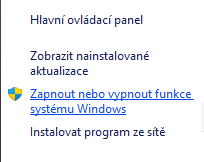
- V levé části klikněte na položku „Zapnout nebo vypnout funkce systému Windows".
- Následně zaškrtejte položky dle obrázků níže.
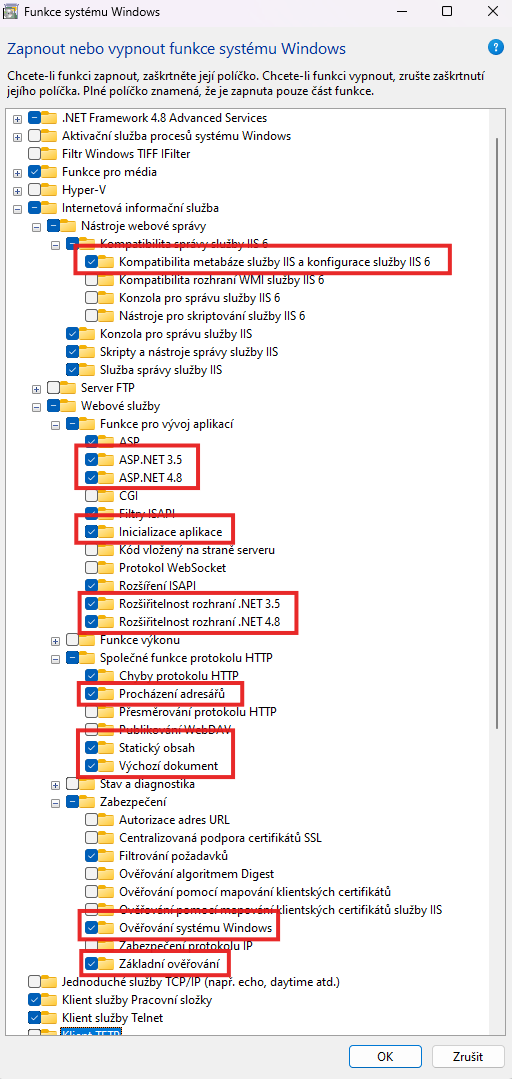
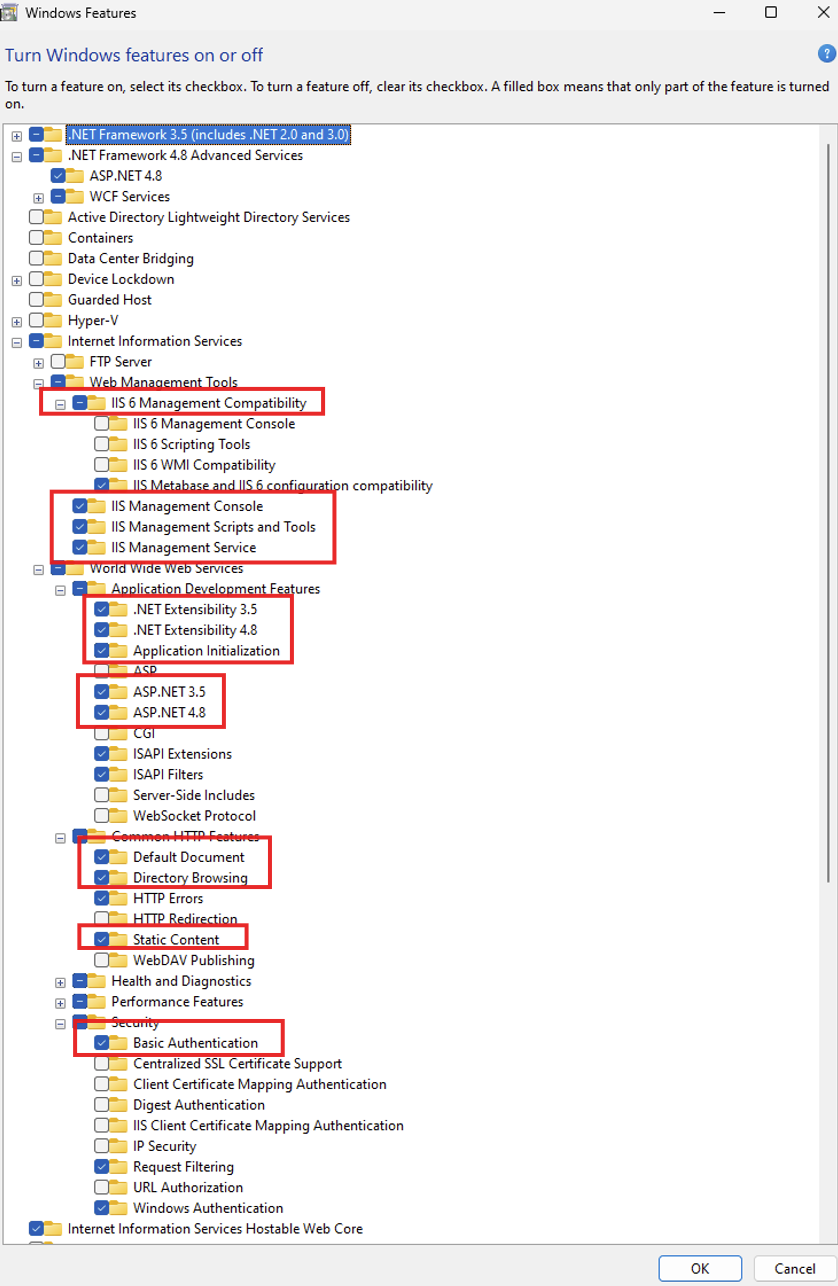
**Po instalaci IIS je doporučeno restartovat PC.
Nastavení IIS a bezpečnosti webu:
Request Smuggling http filter
- Nastavení v registrech
Enable the request smuggling filter on your web server by using the Registry Editor
- Click Start, click Run, type Regedit in the Open box, and then click OK.
- Locate and then click the following registry subkey: HKEY_LOCAL_MACHINE\System\CurrentControlSet\Services\HTTP\Parameters
- Set DWORD type value DisableRequestSmuggling to one of the following:
Set to 0 to disable the filter
Set to 1 to enable the filter
4. Exit Registry Editor.
5. Restart the computer.
https://techcommunity.microsoft.com/…rver/3951338
HSTS – hlavička Strict-Transport-Security
- Na IIS lze při zapnutém HTTPS zapnout i HSTS
- V IIS Manageru vyber příslušný web (musí mít HTTPS binding).
- V pravém panelu Actions klikni na HSTS (v sekci Configure).
- Zaškrtni „Enable HSTS“, nastav max-age (např. 31536000 = 1 rok), případně „Include subdomains“ a „Preload“.
- Volitelně zaškrtni „Redirect HTTP to HTTPS“, pokud ještě nemáš přesměrování řešené jinak.